Appearance
Postman collection
Postman is a popular API platform for developers to design, build, test APIs. It's multiplatform and you can download it for free after signing in.
This page covers the import of the Astara Connect API collection and the required steps to setup the authorization method to send requests using Postman.
Importing the OpenAPI file
Download the OpenAPI file for the API you want to import and load it into Postman. For more info about importing OpenAPI collections see the official Postman documentation.
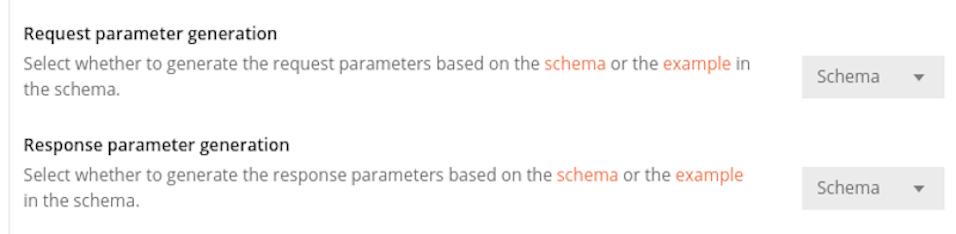
In the Import dialog, in advanced options, it's recommended to set to Schema the options Request parameter generation and Response parameter generation.
Setting up the Authorization method
Configure the API Key authorization method in the Astara Connect API collection settings
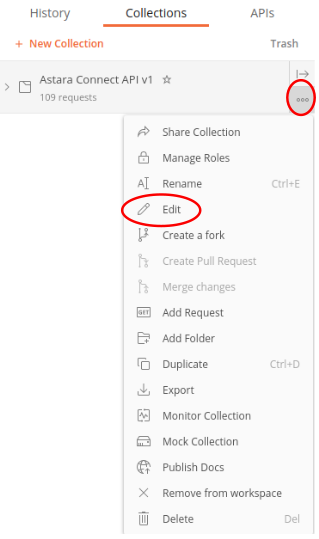
API Key method
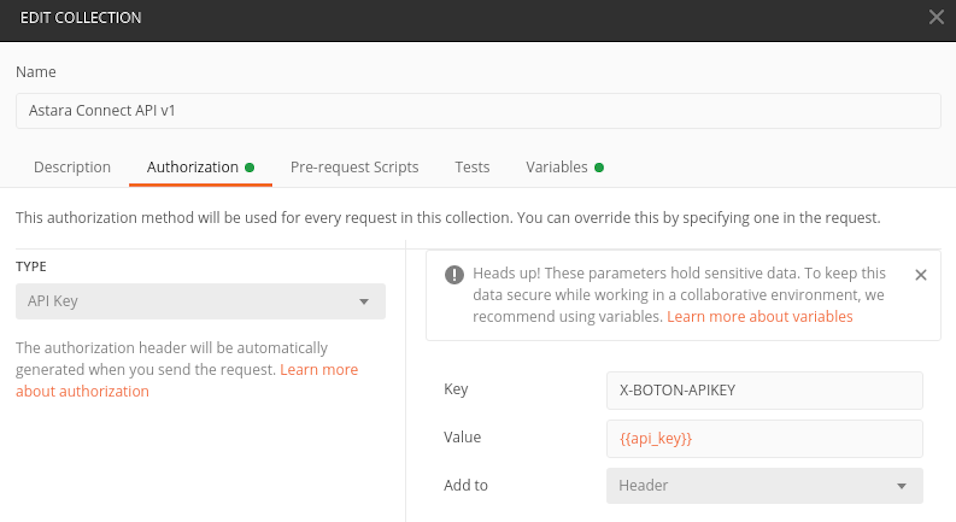
In the Athorization tab of the Edit Collection modal, select Type: API Key. Set the key input to X-BOTON-APIKEY and, for the value input, declare a new variable
You will need to define and set the declared variable with your company API Key. This is done in the collection Variables tab:
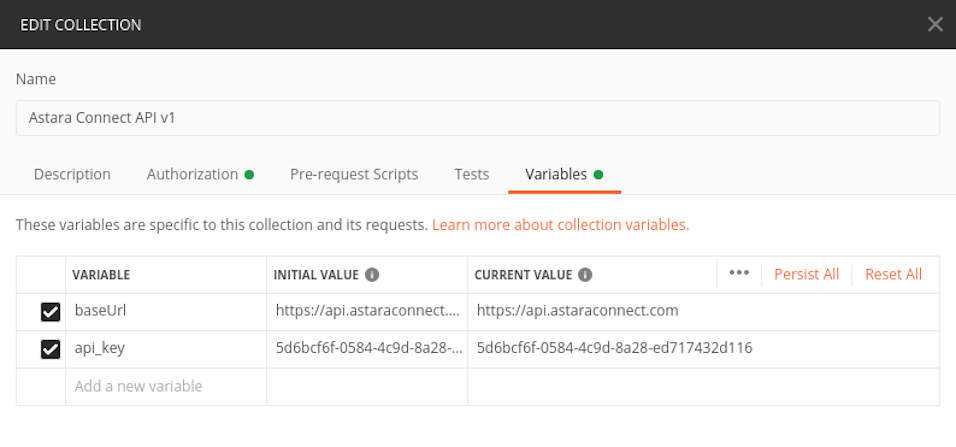
Note that the variable is already defined from the collection import, with it's value set to https://api.astaraconnect.com. These variables could be defined as Postman Environment variables, so you could easely switch from staging to production environment URLs and API-Keys. Further information about Postman variables can be found in the official documentation
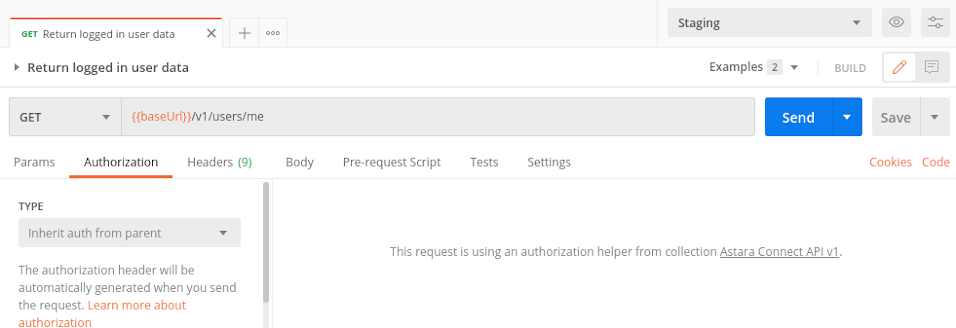
Request Authorization
To use the authorization method defined in the Collection settings, make sure that the option Inherit auth from parent is selected in the Request Authorization type input.